Chimes on the lock screen
The app schedules local notifications ahead of time, so reminders can ring even when the app is closed.
Chimebird turns an hourly chime into a reliable iPhone reminder. Set it once, keep the app closed, and hear gentle chimes on the lock screen with local notifications, active hours, weekday filters, and guided notification setup.
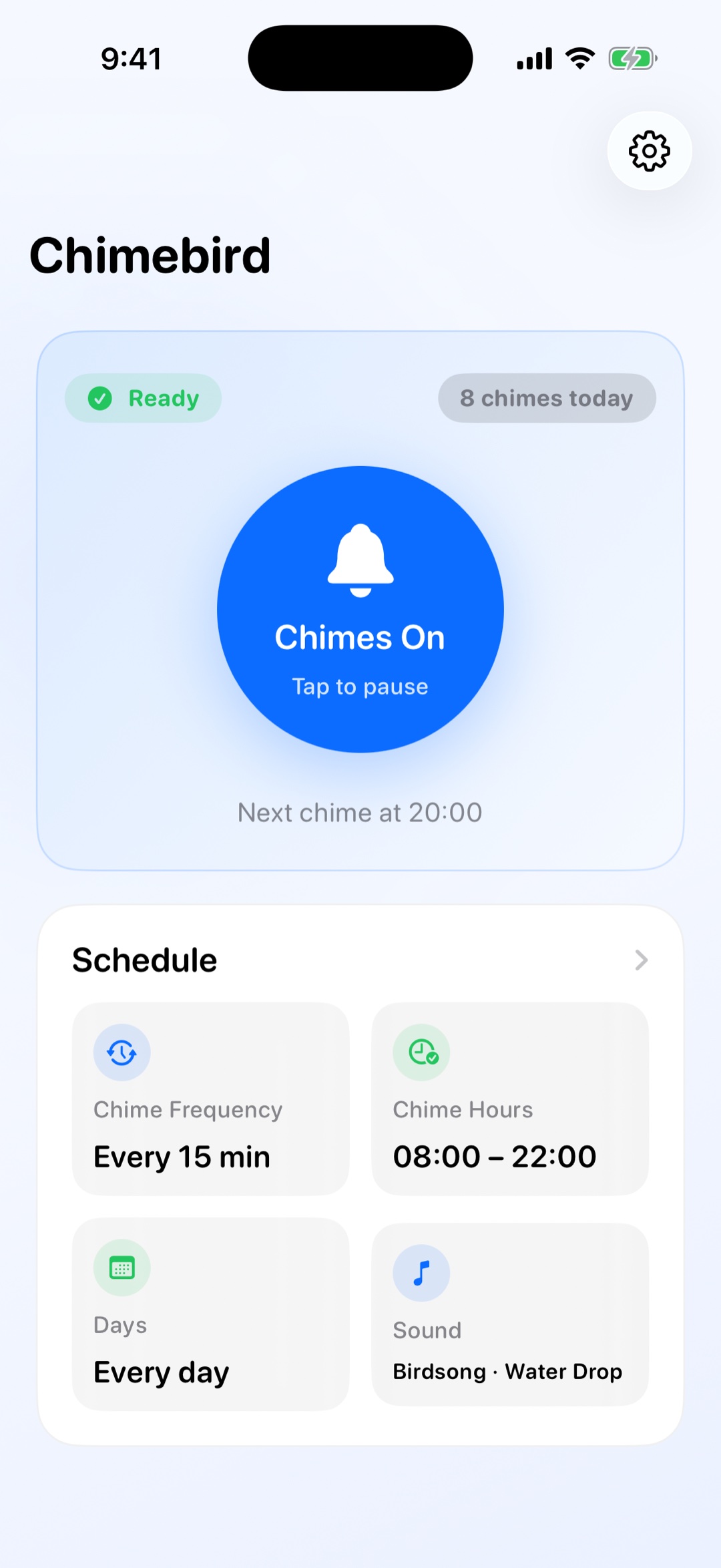
A focused chime workflow is easier to keep than another busy timer or alarm setup.
The app schedules local notifications ahead of time, so reminders can ring even when the app is closed.
Hourly chimes are free. Pro unlocks 15 and 30-minute intervals when you need more frequent cues.
Guided setup helps you keep sound on while reducing banners. If banners stay on, cleanup keeps older chimes from piling up.
Use free hourly chimes, or choose 15 and 30-minute Pro intervals for focused work, study, or daily routines.
Keep chimes during the part of the day where you want time awareness, then let the app stay quiet afterward.
Chimebird schedules the next reminders locally so you do not need to babysit a timer screen.
No. Chimebird schedules local notifications ahead of time, so the app does not need to remain on screen after setup.
Yes. The free tier includes hourly chimes, and Pro unlocks 15 and 30-minute intervals.
Chimebird respects iOS notification settings. Focus and Do Not Disturb may silence chimes depending on your setup, and the app includes health checks to help you diagnose that.
For recurring time awareness, yes. A standard alarm is best for one specific time; Chimebird is designed for gentle repeating chimes across your day.