Spoken time cues
Hear the current time without opening your phone or switching away from the task.
A speaking clock is useful when a tone is too vague and checking the screen would break focus. Chimebird can announce the time with short voice cues while keeping the reminder lightweight.
A focused chime workflow is easier to keep than another busy timer or alarm setup.
Hear the current time without opening your phone or switching away from the task.
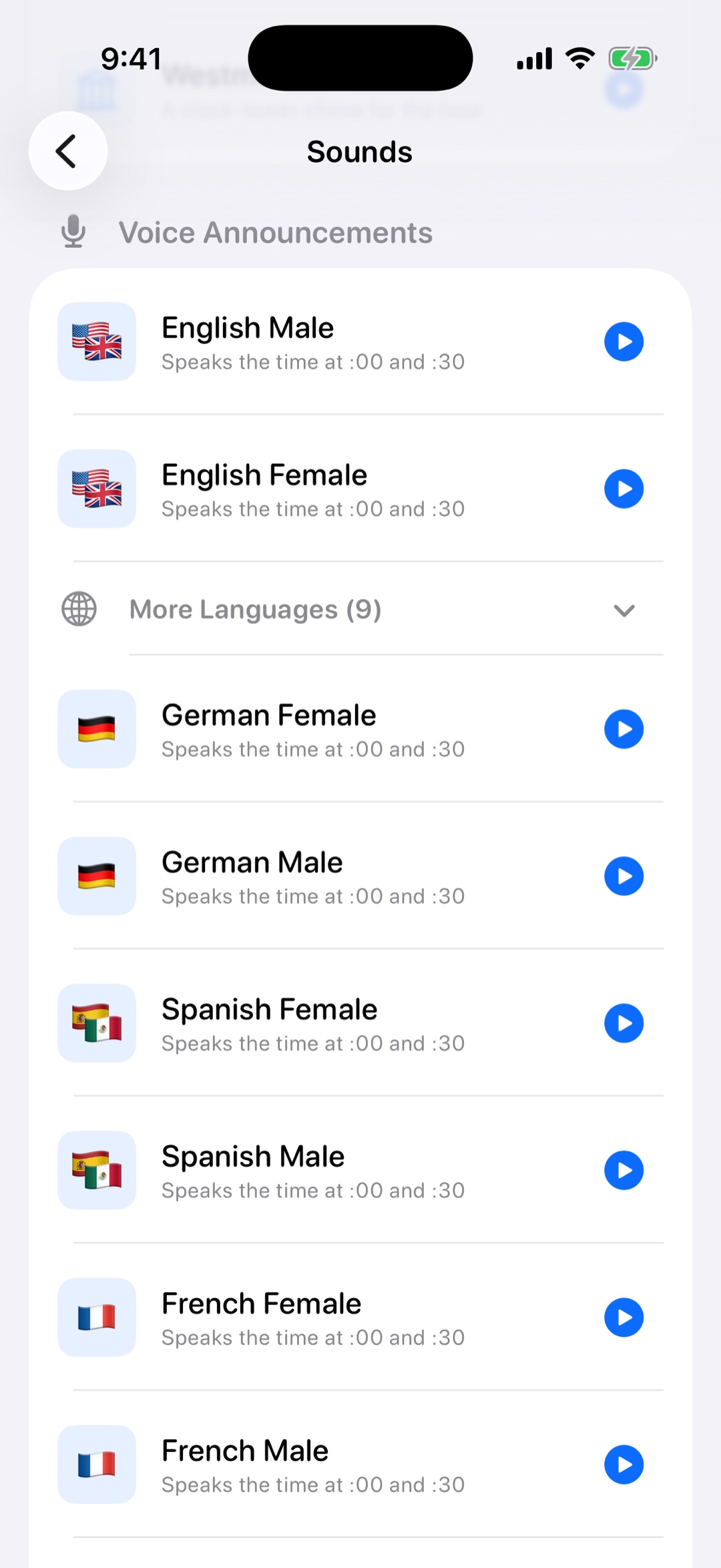
Pro includes voice packs for English, Mandarin Chinese, Japanese, Korean, German, Spanish, and more.
Voice cues are scheduled as local iPhone notifications, so they can ring from the lock screen.
Pick the language and voice style that gives you the clearest time cue.
Use hourly announcements or Pro intervals of 15 and 30 minutes.
Keep sound enabled while reducing unnecessary visual clutter.
It is an app that says the current time at scheduled intervals, such as every hour or every 30 minutes.
Yes. Chimebird Pro includes voice time announcements through local notifications.
Yes. Mandarin Chinese is included alongside several other languages.
Yes. You can choose sounds instead of voice when a shorter cue is enough.