
Works in any modern browser
Pick a sound, choose the interval, and leave the tab open. It is a lightweight way to hear time pass while working, studying, or reading.
Use this page when you need a simple hourly chime, 30-minute chime, or 15-minute chime without installing anything. Keep the tab open for the web timer, or move the same rhythm to Chimebird on iPhone for lock screen and background chimes.
A focused chime workflow is easier to keep than another busy timer or alarm setup.
Pick a sound, choose the interval, and leave the tab open. It is a lightweight way to hear time pass while working, studying, or reading.
Use an on-the-hour chime for a calm day rhythm, or choose 30-minute and 15-minute chimes when you want a tighter reminder cadence.
Browser audio stops when the tab closes. Chimebird for iPhone schedules local notifications so the chime can ring on the lock screen.
Start with on-the-hour, every 30 minutes, every 15 minutes, or a rolling interval from the moment you click start.
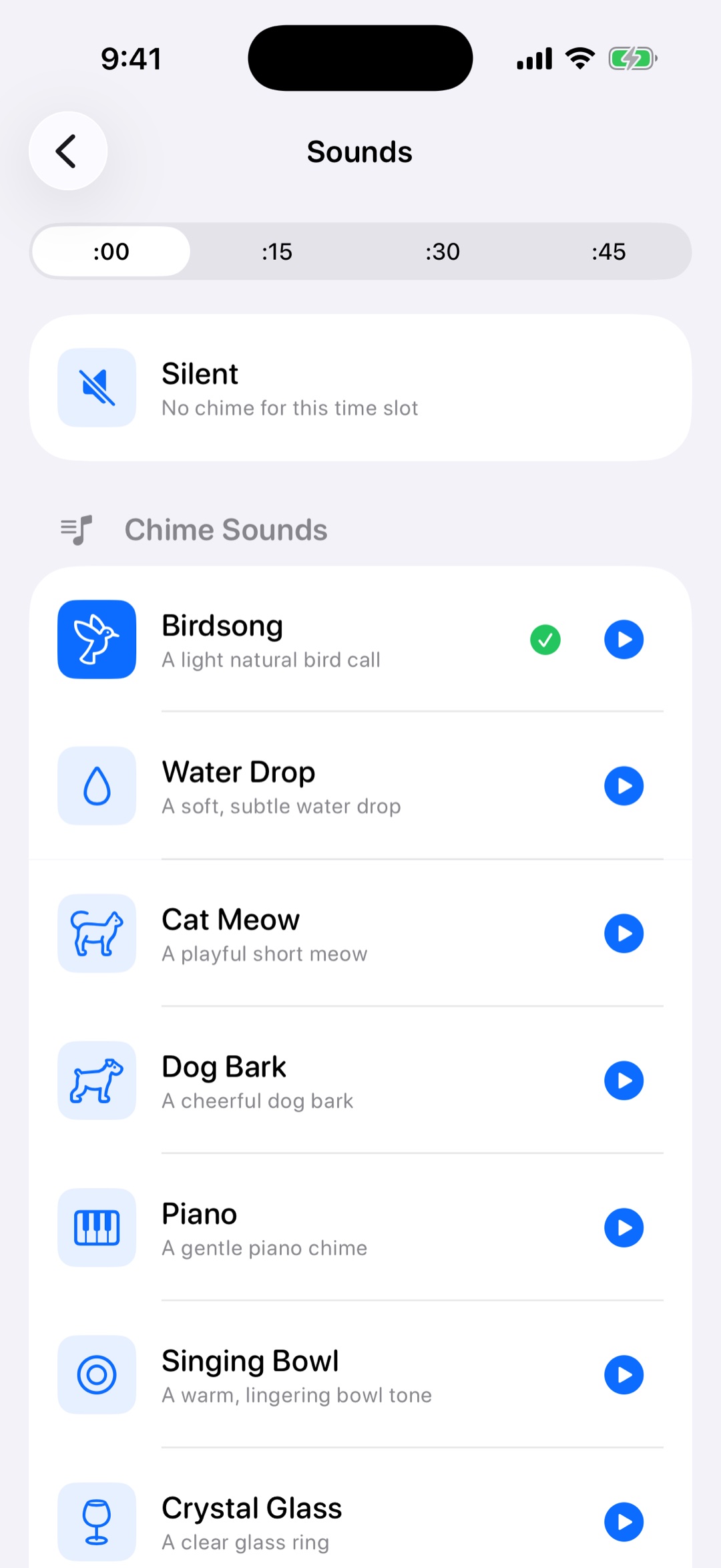
Try bell, birdsong, water drop, piano, or voice samples before leaving the timer running.
Use the iPhone app for locked-screen reminders, active hours, weekday filters, and voice time announcements.
Yes. The browser chime is free to use. You only need to keep the page open so the browser can play the scheduled sound.
Yes. You can choose every 15 minutes, every 30 minutes, on the hour, or rolling 15 and 30-minute intervals from the time you start.
No browser timer can reliably chime after the computer sleeps or the tab closes. Use the iPhone app when you need dependable background chimes.
An hourly chime is a gentle repeating time cue, not a one-time alarm. It is better for time awareness, focus blocks, study sessions, and daily rhythm.